

Extractor Fan Not Working? Troubleshooting Guide & Repair Tips
 Oct, 29 2026
Extractor Fan Repair vs. Replace Calculator
Enter details on the left and click "Analyze Recommendation" to see if you should fix it yourself or call a pro.
Recommendation
Estimated Repair Cost
$0
Replacement Threshold
If repair > $0
You flip the switch, but instead of that satisfying hum sucking away steam and odors, you get silence. Or worse, a grinding noise that sounds like your extractor fan is about to give up the ghost. It’s frustrating, especially when you’re trying to keep mold at bay in a humid Toronto bathroom or clear out grease-laden air from a busy kitchen.
Before you call a technician or buy a new unit, take a breath. Most extractor fan failures aren’t catastrophic. They’re usually caused by simple things: dust buildup, a tripped circuit breaker, or a worn-out capacitor. You can often fix these issues yourself with basic tools and a bit of patience. This guide walks you through exactly what to check, step-by-step, so you know whether it’s a quick DIY fix or time to call in the pros.
Check the Power Supply First
It sounds obvious, but you’d be surprised how many people skip this step. If your fan doesn’t turn on at all, start with the basics. Is the switch actually working? Sometimes the wall switch itself fails, not the fan.
- Test the outlet: Plug a lamp into the same socket (if accessible) to see if it has power.
- Check the breaker box: Look for a tripped breaker labeled "Bathroom," "Kitchen," or "Ventilation." Reset it if needed.
- Inspect the fuse: Older homes might have a fuse box. A blown fuse will kill power to the fan circuit.
If the power supply checks out, the issue lies within the fan unit itself. Don’t worry-we’ll dig deeper.
Clean the Fan Blades and Housing
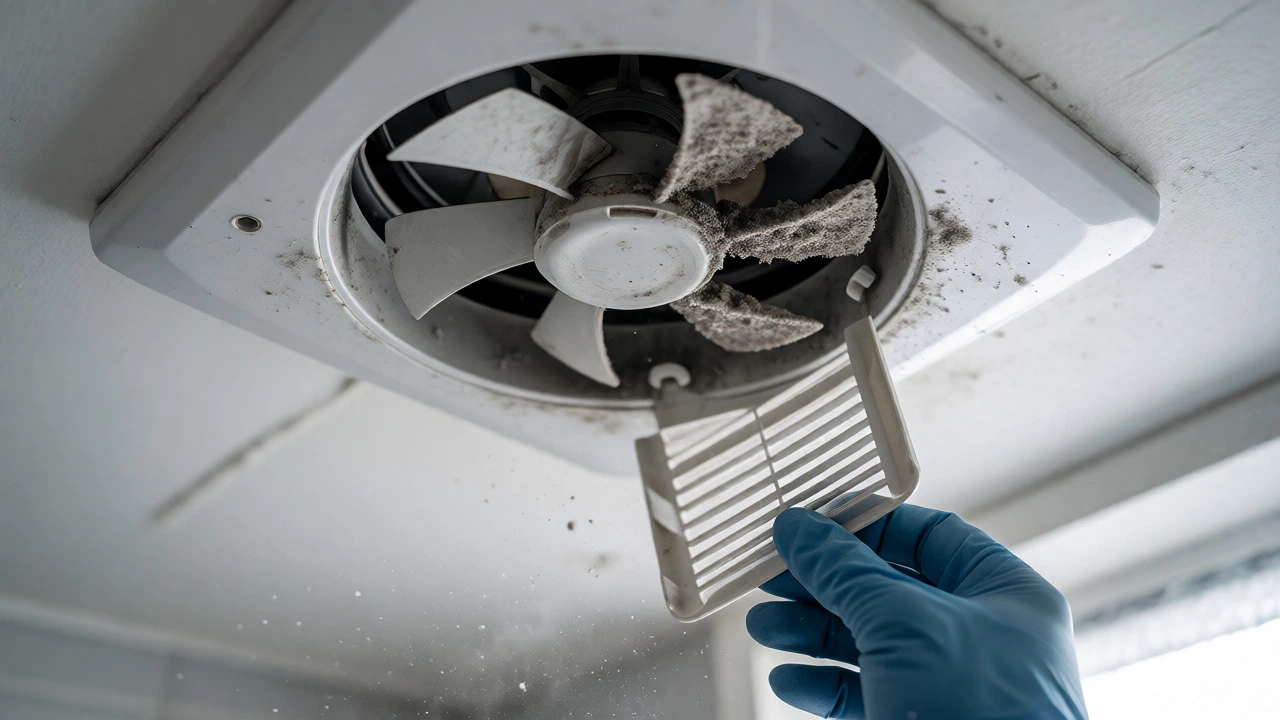
Dust, grease, and grime are the silent killers of extractor fans. In kitchens, grease coats the blades, making them heavy and unbalanced. In bathrooms, humidity leads to mineral deposits and mold. When blades can’t spin freely, the motor strains, overheats, and eventually burns out.
Here’s how to clean it properly:
- Turn off the power: Switch off the breaker, not just the wall switch. Safety first.
- Remove the cover: Most fans have clips or screws holding the grille. Gently pop it off.
- Wipe down the blades: Use a damp cloth with mild detergent. For stubborn kitchen grease, use a degreaser spray. Let it sit for a few minutes before wiping.
- Clear the housing: Vacuum out any loose debris inside the unit. Check for bird nests or insulation blocking the vent.
Once cleaned, reassemble and test. Often, this alone restores full functionality.
Inspect the Ductwork for Blockages
A clean fan won’t help if the air has nowhere to go. Blocked ducts cause poor airflow, leading to condensation, mold growth, and motor strain. Over time, lint, dust, and even pests can clog the exhaust path.
To check your ducts:
- Follow the pipe: Trace the flexible or rigid duct from the fan to the exterior vent.
- Look for kinks: Flexible aluminum ducts can crush or bend sharply, restricting flow.
- Check the exterior flap: Go outside. Does the vent flap open when the fan runs? If it’s stuck shut, moisture can’t escape.
- Clear obstructions: Use a brush attachment on your vacuum or a leaf blower (on reverse) to push debris out.
In older Toronto homes, ducts sometimes run through attics where insulation may have shifted. Pull back the insulation gently to ensure the duct isn’t crushed.
Test the Motor and Capacitor
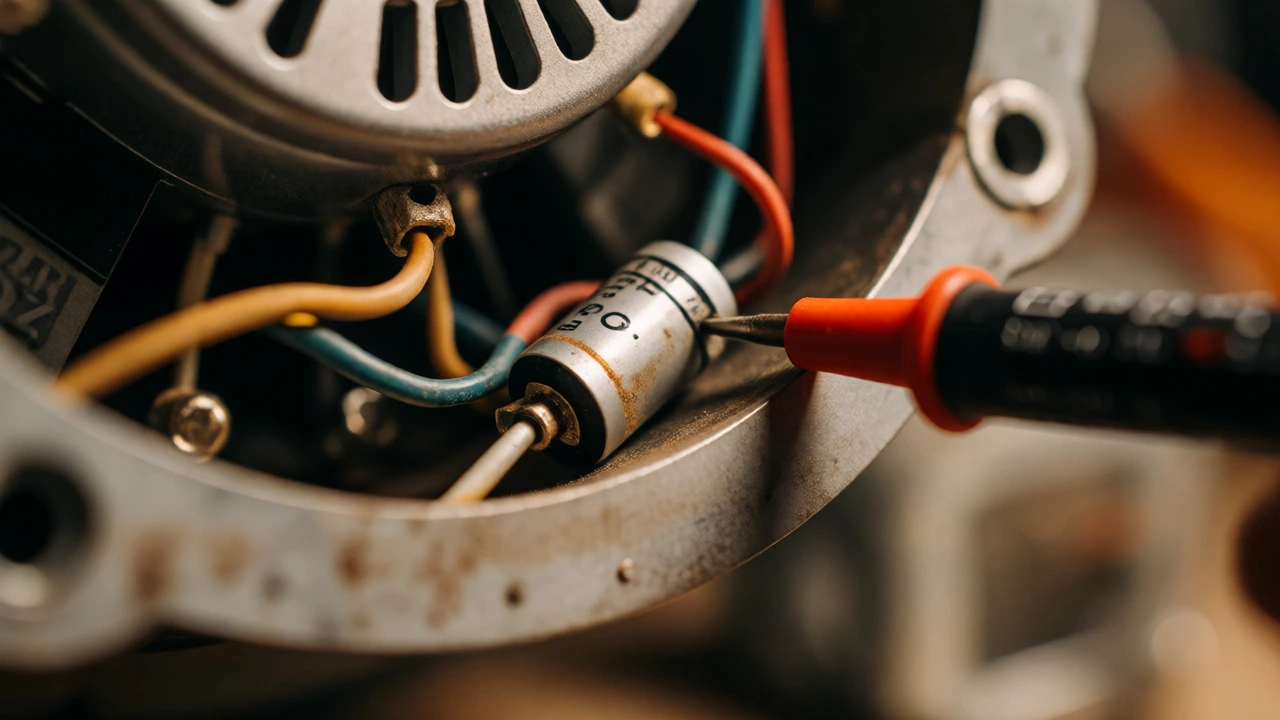
If the fan powers on but doesn’t spin, or spins slowly with a humming noise, the motor or capacitor might be faulty. The capacitor is a small cylindrical component that helps the motor start. It’s a common failure point in older units.
How to diagnose:
- Listen closely: A humming sound without rotation often means the capacitor is dead.
- Spin manually: With power off, try spinning the blades by hand. If they feel stiff or gritty, the bearings are worn.
- Multimeter test: If you’re comfortable with electronics, use a multimeter to check the capacitor’s microfarad rating against the label specs.
Replacing a capacitor costs under $15 and takes minutes. But if the motor bearings are shot, replacement might be more cost-effective than repair, depending on the fan’s age.
When to Replace vs. Repair
Not every broken fan needs saving. Here’s a quick decision framework:
| Issue | Likely Cost to Fix | Recommendation |
|---|---|---|
| Dirty blades/clogged duct | $0 (DIY) | Fix it |
| Tripped breaker/faulty switch | $10-$30 | Fix it |
| Faulty capacitor | $15-$25 parts | Fix if fan is <5 years old |
| Worn motor bearings | $50-$100 labor | Replace if fan is >7 years old |
| Burnt-out motor | $80-$150 parts + labor | Replace unit |
Modern fans are also quieter and more energy-efficient. If yours is over a decade old, upgrading might save money on electricity bills while improving comfort.
Safety Tips Before You Start
Electricity and water don’t mix. Always cut power at the breaker before touching internal components. Wear safety glasses when cleaning overhead fans-dust falls everywhere. And never force a stuck blade; you could damage the motor shaft.
If you smell burning plastic or see scorch marks near the wiring, stop immediately. That indicates an electrical fault requiring professional attention.
Why does my extractor fan make a loud noise?
Loud noises usually stem from three causes: loose screws rattling the housing, debris hitting the blades, or worn motor bearings. Tighten all mounting screws first. Then, inspect for foreign objects. If the noise persists as a grinding or squealing sound, the bearings likely need lubrication or replacement.
Can I use WD-40 on my extractor fan?
Avoid standard WD-40 on fan motors. It attracts dust and gumming up bearings over time. Instead, use a lightweight machine oil or silicone-based lubricant designed for electric motors. Apply sparingly to the bearing points only.
How long do extractor fans last?
Most residential extractor fans last between 7 and 10 years with regular maintenance. Kitchens fans exposed to heavy grease may fail sooner due to buildup. Bathroom fans in high-humidity areas can suffer from corrosion. Regular cleaning significantly extends lifespan.
My fan runs but doesn't remove moisture. Why?
If the fan spins but humidity remains, check for duct blockages or improper installation. Ensure the duct vents directly outdoors, not into an attic or crawl space. Also, verify the fan’s CFM (cubic feet per minute) rating matches your room size. An undersized fan cannot handle the moisture load.
Is it safe to shower with a broken extractor fan?
Short-term, yes. Long-term, no. Without ventilation, moisture accumulates on walls and ceilings, promoting mold growth and peeling paint. Try to keep showers short and crack a window until repairs are made.